
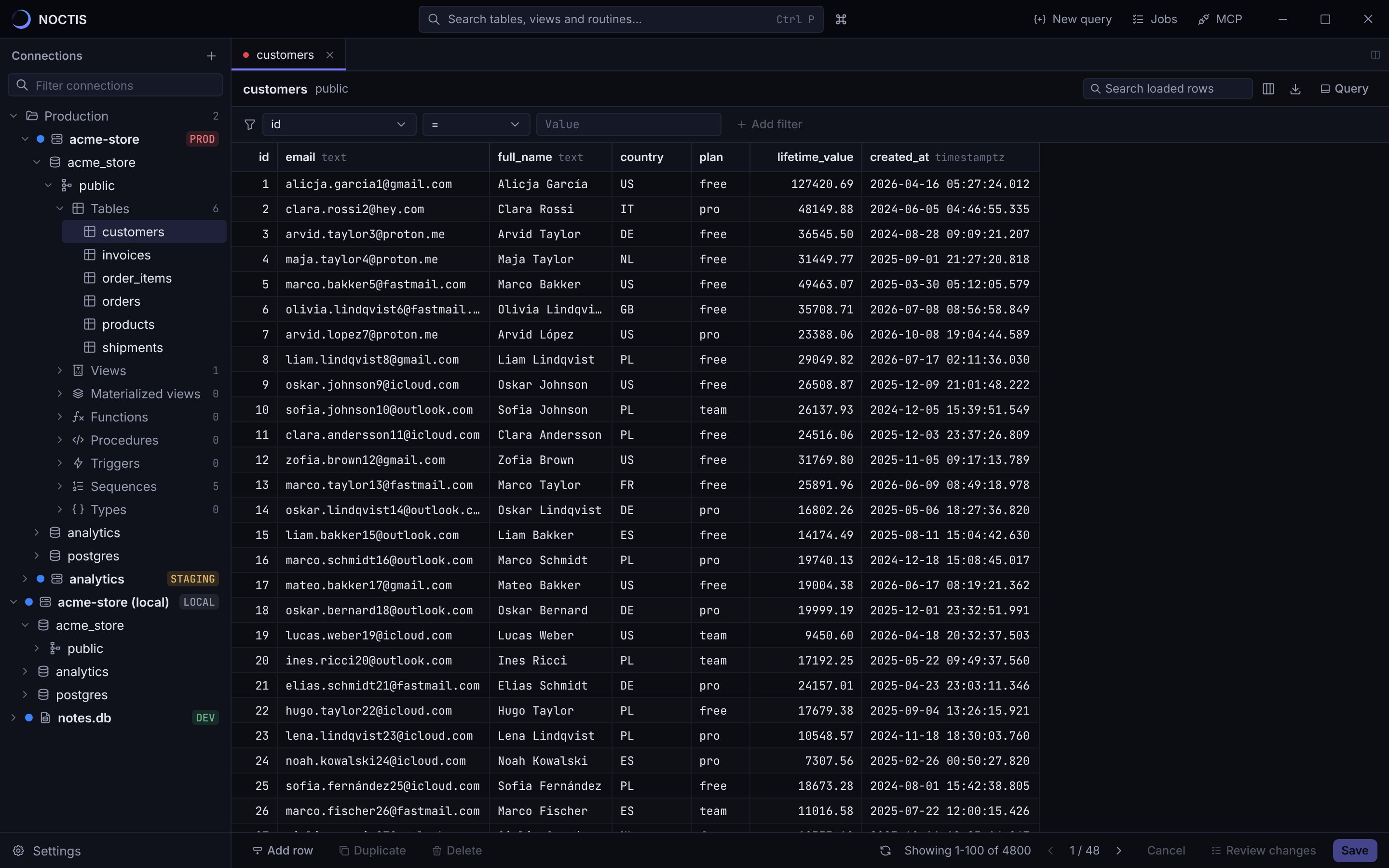
Work in your databases, not around them.
NOCTIS is a desktop SQL client for MySQL, PostgreSQL and SQLite, with a fast data grid, a real SQL editor, schema tools, and an MCP server that lets Claude or Cursor read and change your data only as far as you allow.
Free for 3 connections. Every Pro feature for 14 days, no card needed.
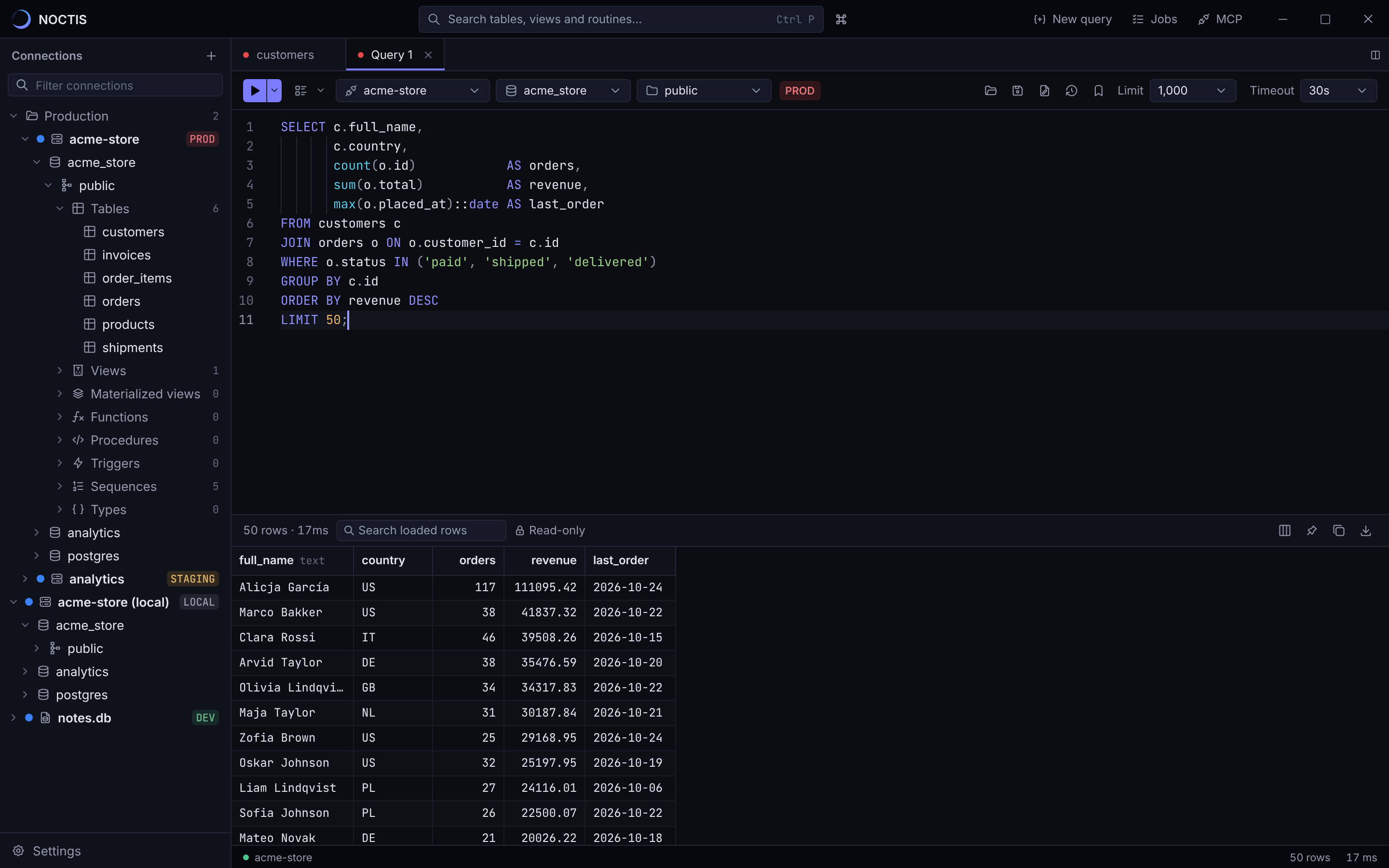
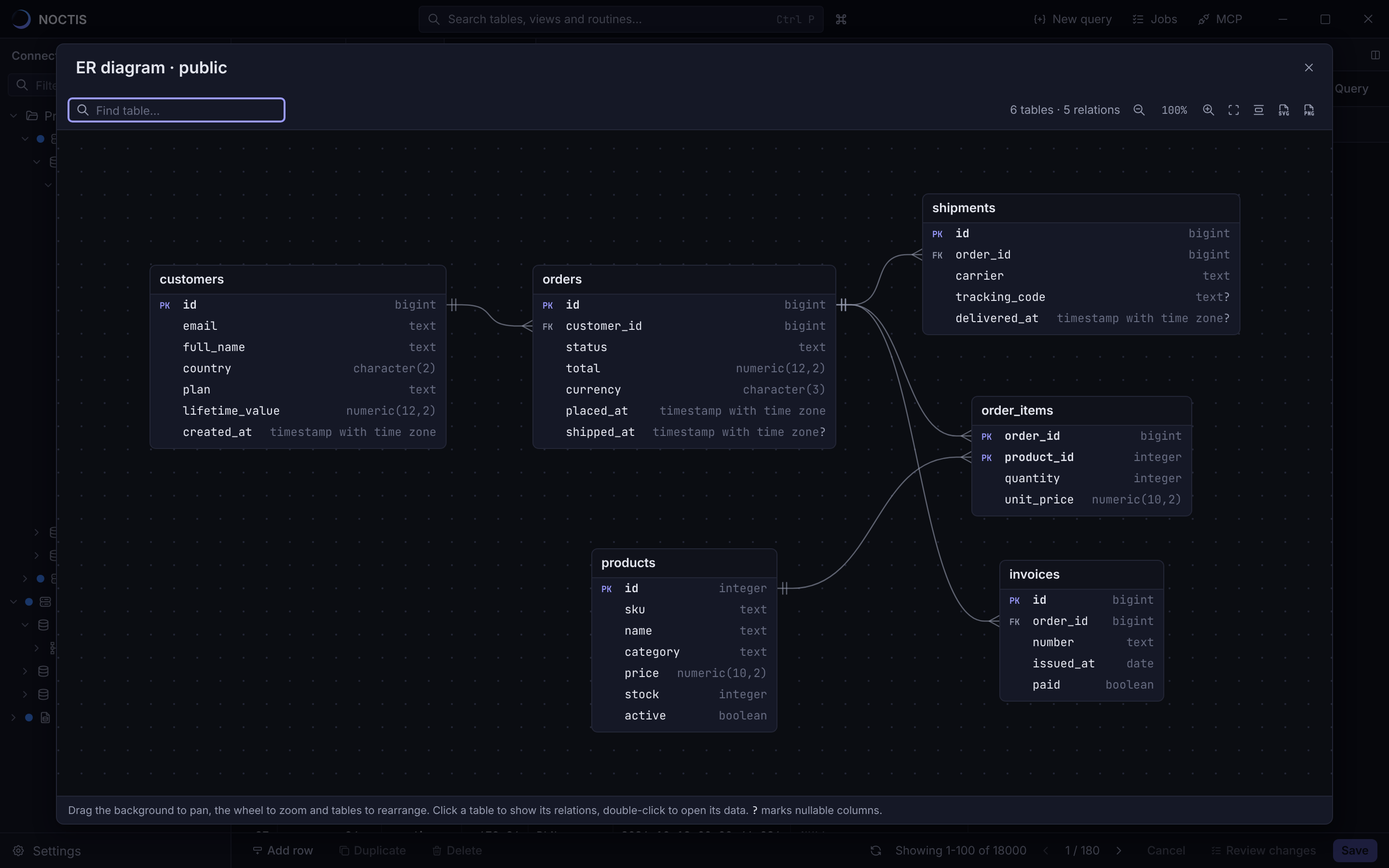
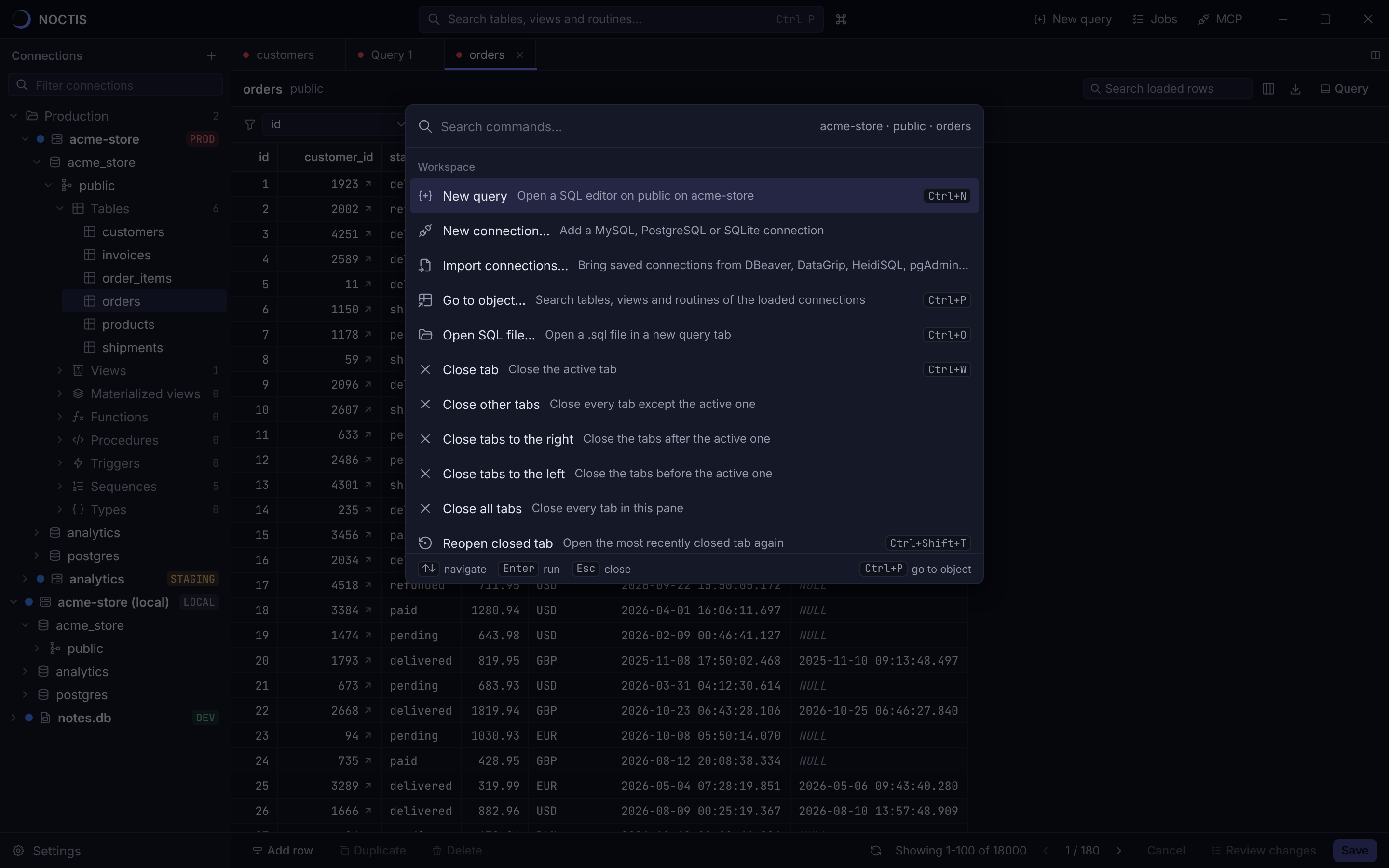
The everyday work, done in fewer clicks.
Let AI assistants work with your data, on your terms.
NOCTIS runs a Model Context Protocol server for Claude Desktop, Claude Code, Cursor and other clients. They can list tables, read schemas, run queries and explain plans using the connections you already saved, and never see a password.
- Per connection
- Each connection is Off, Read or Write for MCP clients. Connections tagged production start at Off.
- Two-step writes
- A change runs first in a transaction that is always rolled back. Only the exact same SQL can then be applied, once.
- Row limits
- Writes that would touch more rows than the connection allows are refused. The default limit is 1,000.
- Undo
- Before-images of updated and deleted rows are kept, so you can revert a change from the activity panel.
- Audit log
- Every call an AI client makes is recorded on your computer, with the client's name and timing.
Add it to Claude Code. Settings › MCP shows the config for other clients.
claude mcp add noctis -- "%LOCALAPPDATA%\Programs\NOCTIS\noctis.exe" mcpHard to break things by accident.
- PROD
- STAGING
- DEV
- LOCAL
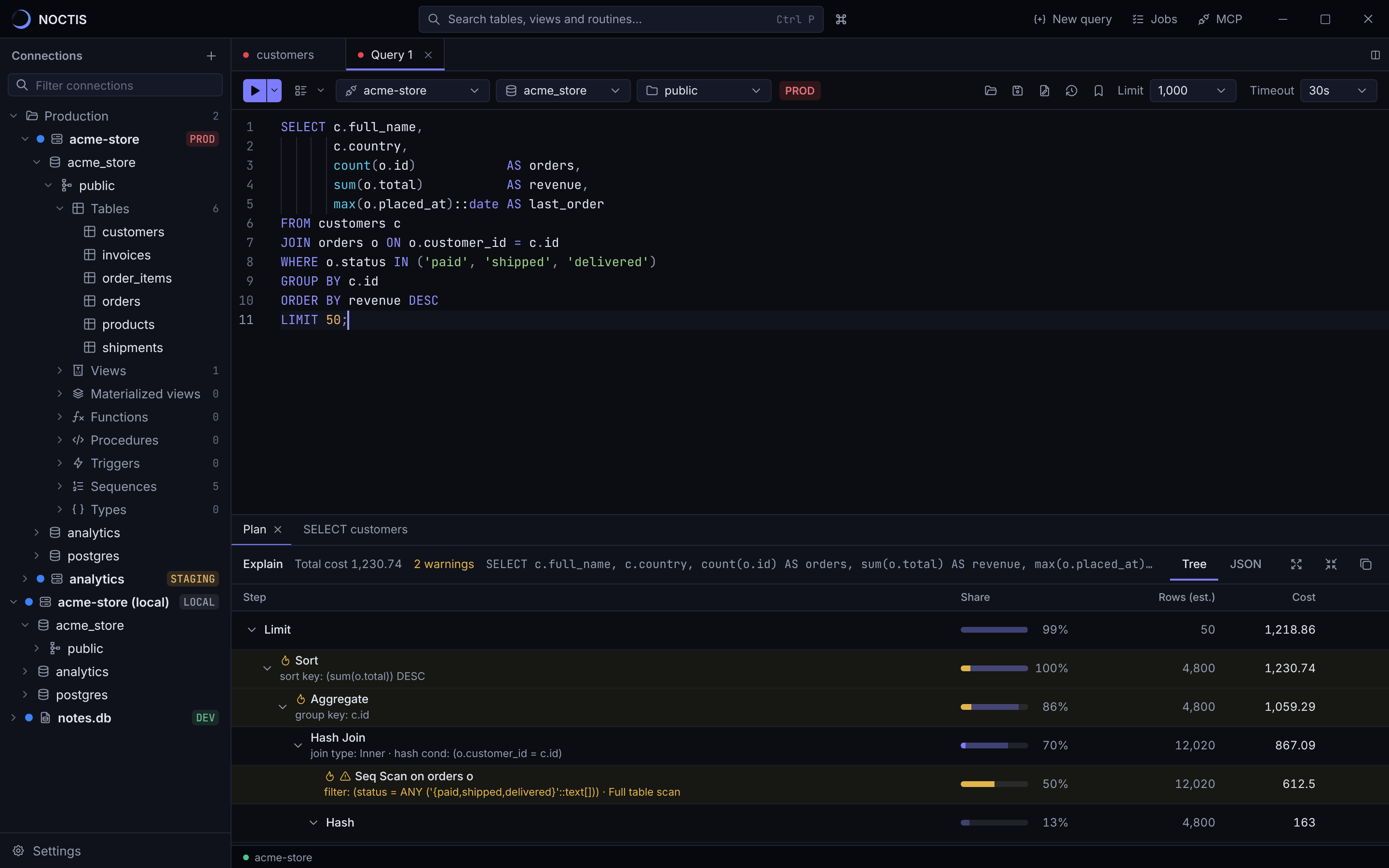
Analyze on production?
EXPLAIN ANALYZE runs the query on the production connection "acme-store" to measure it. Only a read-only SELECT can be analyzed, but it still puts load on the server.
CancelAnalyze
- Production looks like production
- Tag each connection with its environment. The tag follows you into every tab, and risky actions on production ask first.
- Read-only when it should be
- Open a connection in the server's read-only mode, so a stray UPDATE fails before it can do harm.
- Passwords stay in your system
- Passwords and SSH keys live in the Windows Credential Manager, never in a plain settings file.
- Tunnels you can trust
- Connect through SSH with host key checks against your known_hosts file, or over TLS with your own certificates.
The tools you reach for once a week are here too.
Move data
- Import
- CSV and JSON into a table or a new one
- Export
- CSV, JSON, Excel, SQL and Markdown
- Copy tables
- between schemas, databases and servers
- Backups
- on demand or on a schedule, even with the app closed
Understand
- Compare
- two schemas, then the rows of their tables
- Table sizes
- to see where the space went
- Server monitor
- live sessions and what they are running
- Users
- roles and privileges in one place
Move faster
- Run on many
- the same query on several connections, side by side
- History
- every query you ran, ready to run again
- Snippets
- the SQL you keep rewriting, saved
- Switch clients
- import connections from DBeaver, DataGrip, HeidiSQL or pgAdmin
Free to start. Fair when you grow.
Every download includes 14 days of Pro. After that you keep the free plan, or pick a license.
Free
$0
For side projects and quick looks.
- Up to 3 connections, MySQL and SQLite
- Query results up to 1,000 rows
- CSV and JSON export up to 1,000 rows
- Query history and snippets
Pro
1 computer$59$7/ year/ month
$4.92 a month, billed yearly.
Cancel any time.
- Unlimited connections, including PostgreSQL and SSH tunnels
- Query results and exports up to 100,000 rows
- Excel, SQL and Markdown export
- MCP server for Claude, Cursor and other AI clients
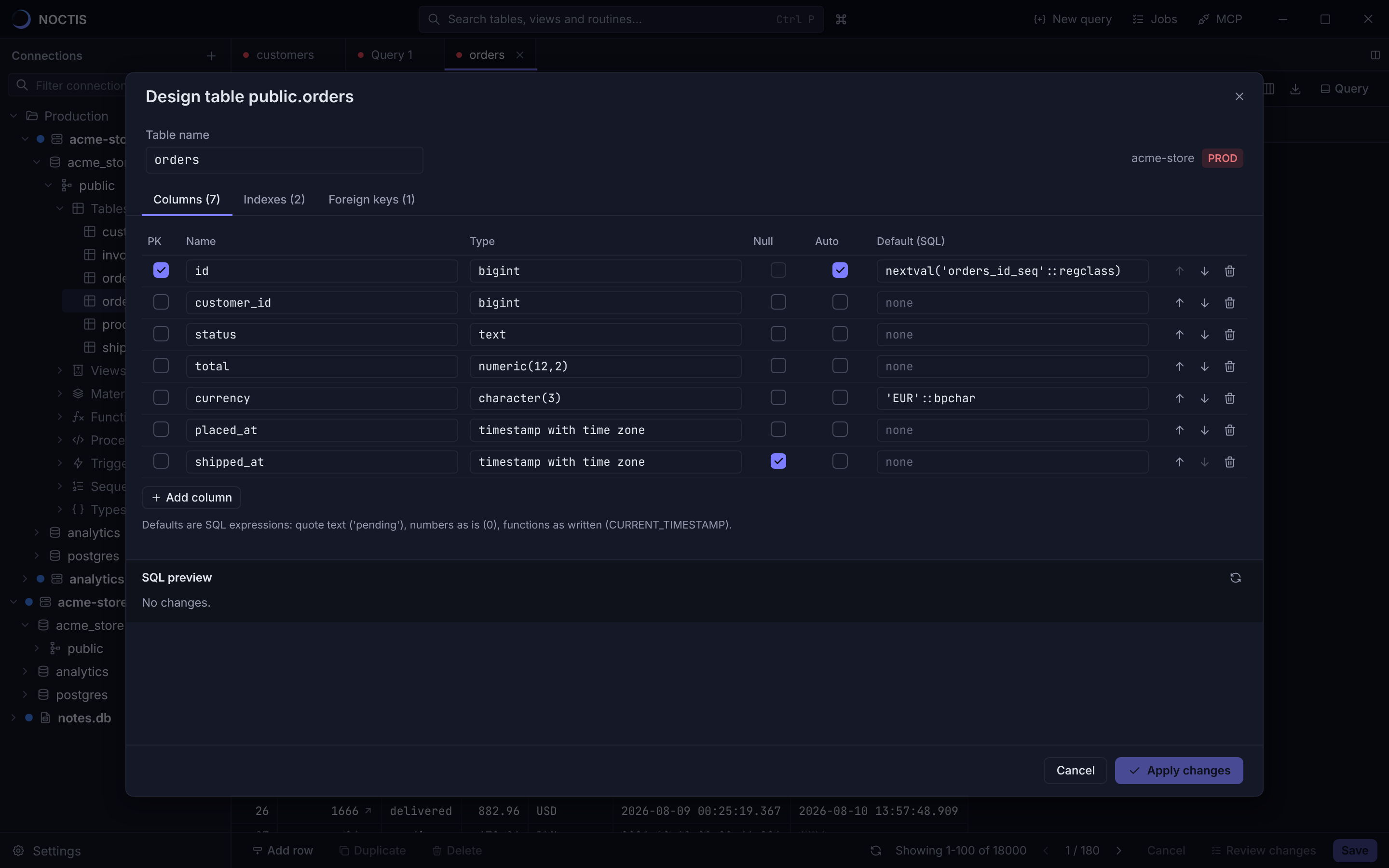
- Table designer, DDL and explain plans
- Import data, copy tables and compare schemas
- Backups and backup schedules
Team
$99$10/ seat / year/ seat / month
From 3 seats. One seat is one computer.
- Everything in Pro, on every seat
- One subscription and one invoice for the team
- Free a seat from your account when someone leaves
- Your company's VAT ID on every invoice
Keep it after a year
Pay for 12 months in a row and your license becomes perpetual when you cancel. You keep every version released while you paid.
Works offline
NOCTIS checks your license once a day and keeps working for 14 days without a connection.
Prices in USD
Payments go through Stripe. VAT or sales tax is added at checkout where it applies.
Before you buy.
Anything else? Write to support@noctisdb.com.
Which systems does NOCTIS run on?
Windows 10 and 11, 64-bit. macOS and Linux builds are planned.
What happens when the 14-day trial ends?
NOCTIS switches to the free plan. Your connections, history and snippets stay. Pro features come back as soon as you activate a license.
On how many computers can I use a license?
Pro works on one computer, Team on one computer per seat. To move a license, deactivate it in NOCTIS under Settings › License or from your account on this site.
What happens if I cancel?
Pro stays active until the end of the period you paid for. If you paid for 12 months in a row, you keep a perpetual license for every version released until your subscription ended.
Does NOCTIS send my data anywhere?
No. Connections, passwords, queries and results stay on your computer. NOCTIS contacts our license server to check your license, sending only the license ID and an anonymous hash of your computer's ID, and GitHub to look for updates.
Can an AI client change my data?
Only on connections you set to Write. Every change is previewed in a rolled-back transaction first, limited to a row count you choose, logged, and can be undone from the activity panel.
I lost my license key.
Sign in to your account with the email you used at checkout and create a new key. Computers that are already activated keep working.
Open your first table in under a minute.
Download NOCTIS, add a connection or import the ones you already have, and every Pro feature is yours for 14 days.